Nothing to remember
A paragraph asks you to remember step three while you're processing step eight. The grid keeps every step in view, so your working memory can take a break.
 CookNoBook
About CookNoBook
Ever felt lost during the process of making biryani? Or maybe you forgot to put your tomatoes in the mixer while you were fixated on the frying pan. CookNoBook turns a recipe into a single picture you can take in at a glance. Made for anyone who finds the wall of recipe text harder than the cooking itself: autistic cooks, ADHD brains, dyslexic and dyspraxic folks, and everyone who has lost their place mid-recipe with salt and sugar in different places.
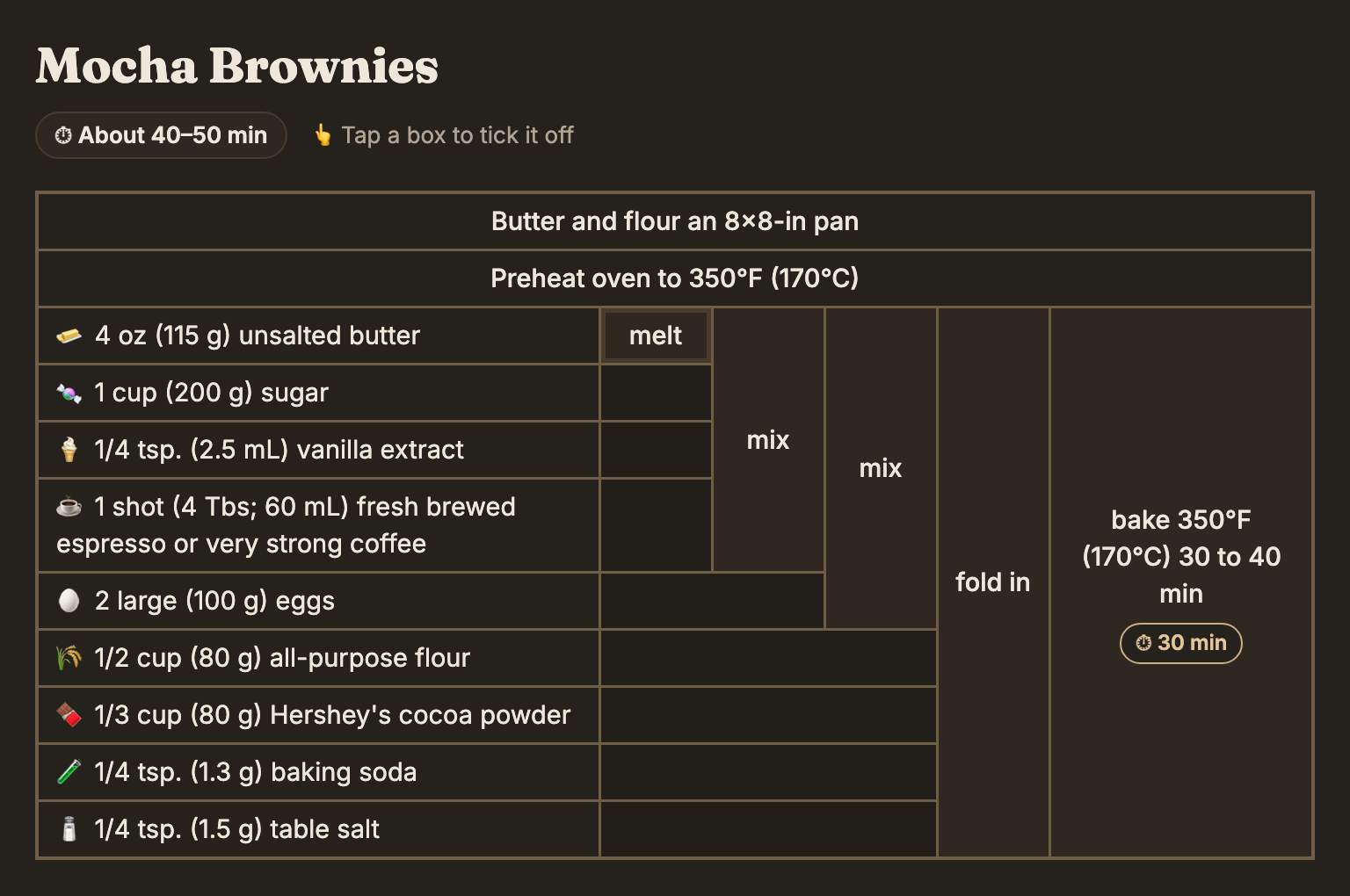
Written recipes quietly ask a lot of your brain. The grid takes some of that weight off.
A paragraph asks you to remember step three while you're processing step eight. The grid keeps every step in view, so your working memory can take a break.
Each box is a single action with the exact ingredients it needs. No long sentences to untangle before you can pick up a spoon.
Everything to the left of a box is done; everything to its right is still to come. You can easily check off the steps you've already covered. Hover any box and the ingredients it uses light up.
Steps say what to do and how you'll know it's done: “1 tbsp of salt”, not “swaad anusaar”. No guessing what the author meant. We're all learning after all.
A few things I did on purpose.
An easy-read font (Atkinson Hyperlegible), text sizes you can change, and a calm, plain, beige background (my graphic design head loves beige). No ads, pop-ups, autoplay videos or life stories before the recipe. Timers are there when you want them, and never when you don't. No pressure.
Type what you're craving and you'll get it, laid out and ready to go. No need to fry your brain across ten tabs hunting for the perfect recipe.
Some people like boxes, some like following lines. The Graph view draws your recipe as a little map, with each ingredient flowing into the step that uses it.
Start a timer straight from any step that has a time, and keep several going at once. Cooking for one or for a crowd? Scale the whole recipe from ½× to 3× with a tap.
Different brains like different shapes, so every recipe comes four ways. Switch between them with the tabs above any recipe.
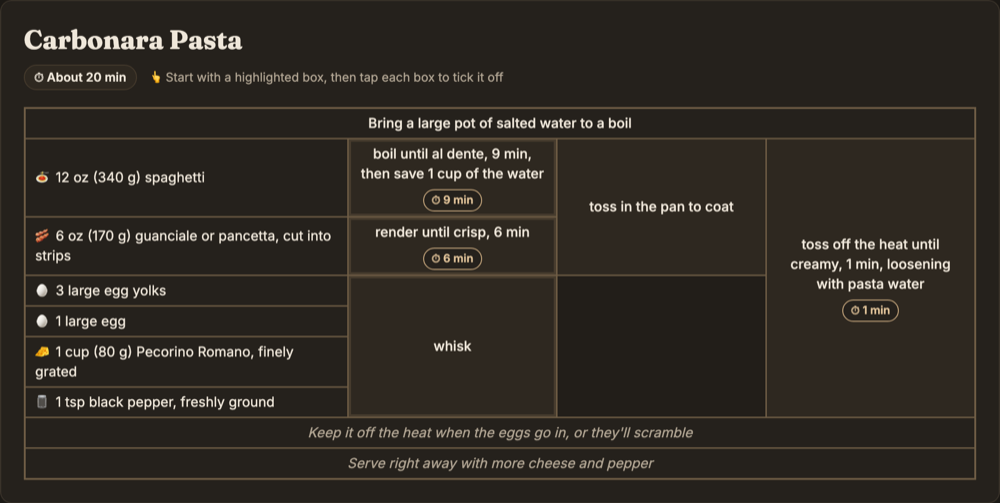
The whole recipe as one table. Best for seeing everything at once.
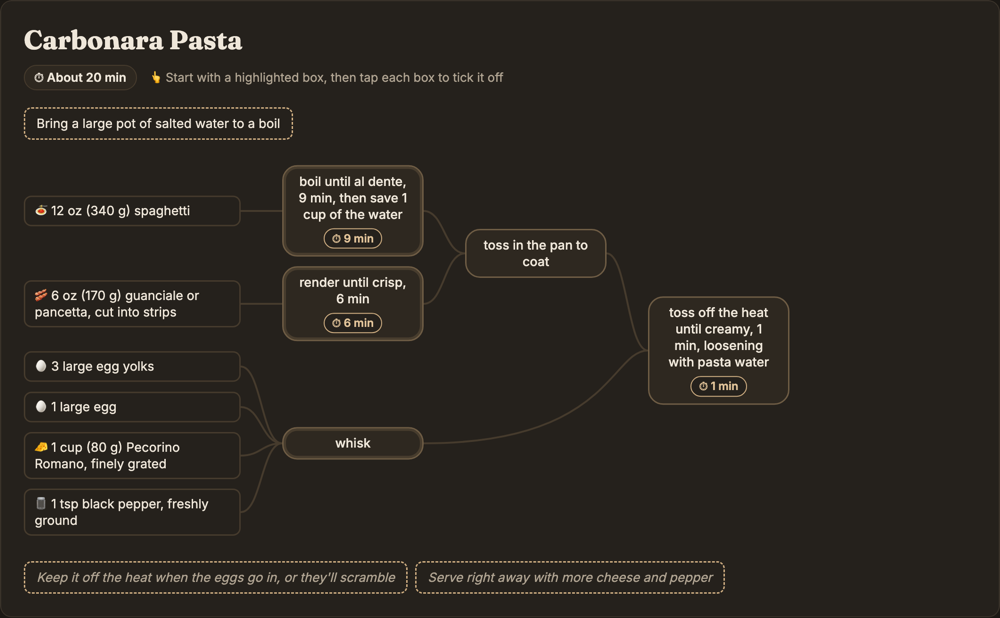
Ingredients flowing into steps, like a little map of the meal.
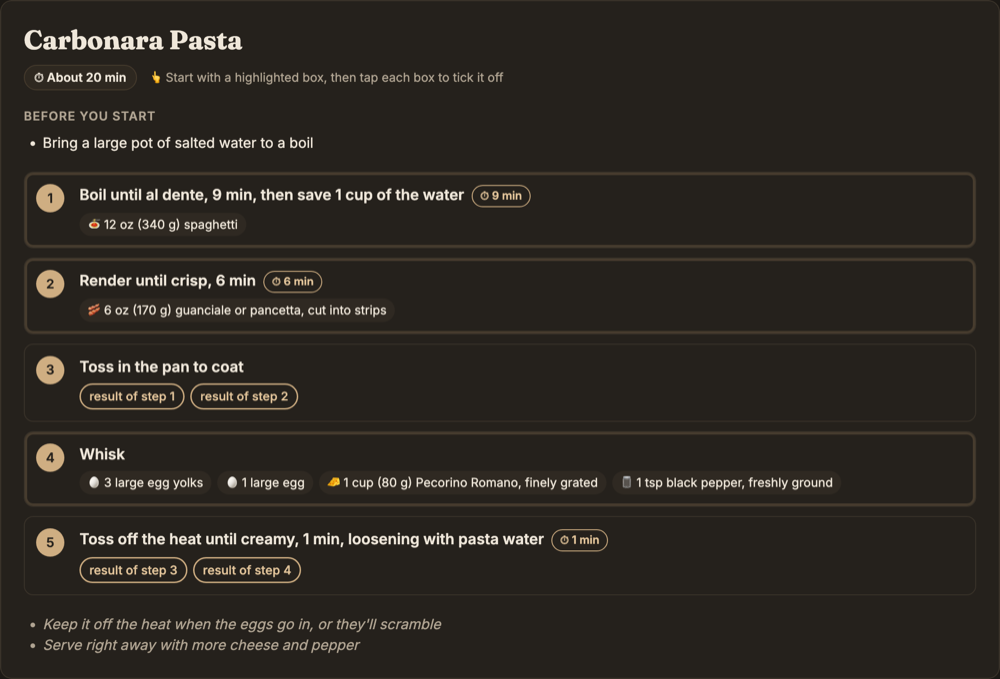
A numbered checklist, for when you just want to be told what's next.
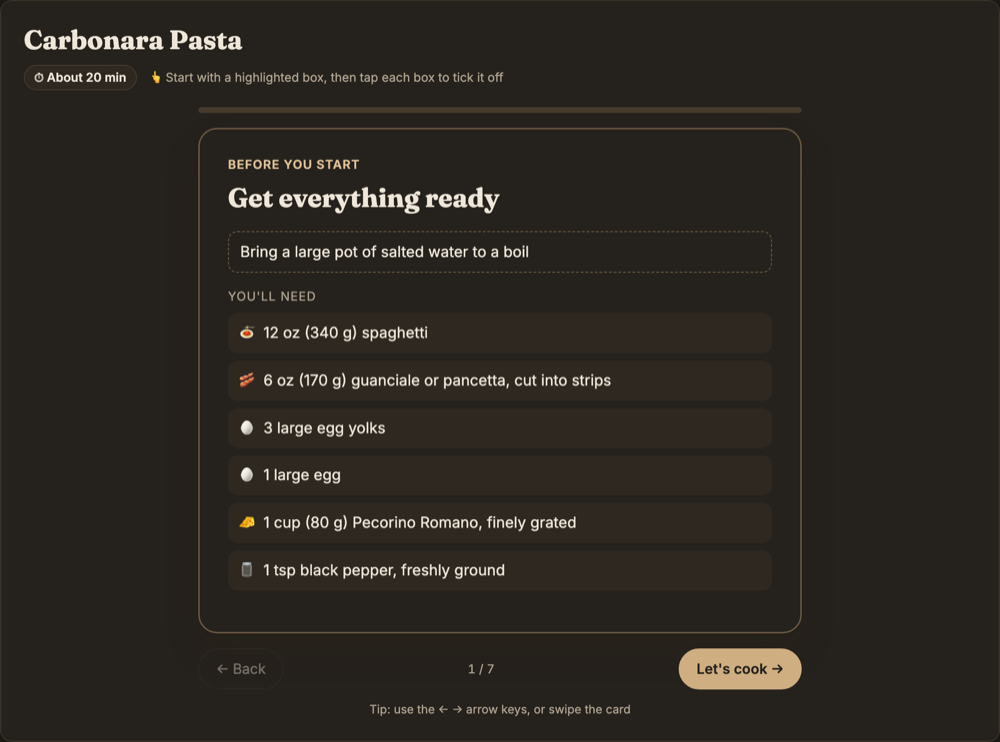
One step at a time, like flashcards, for when everything else feels like too much.
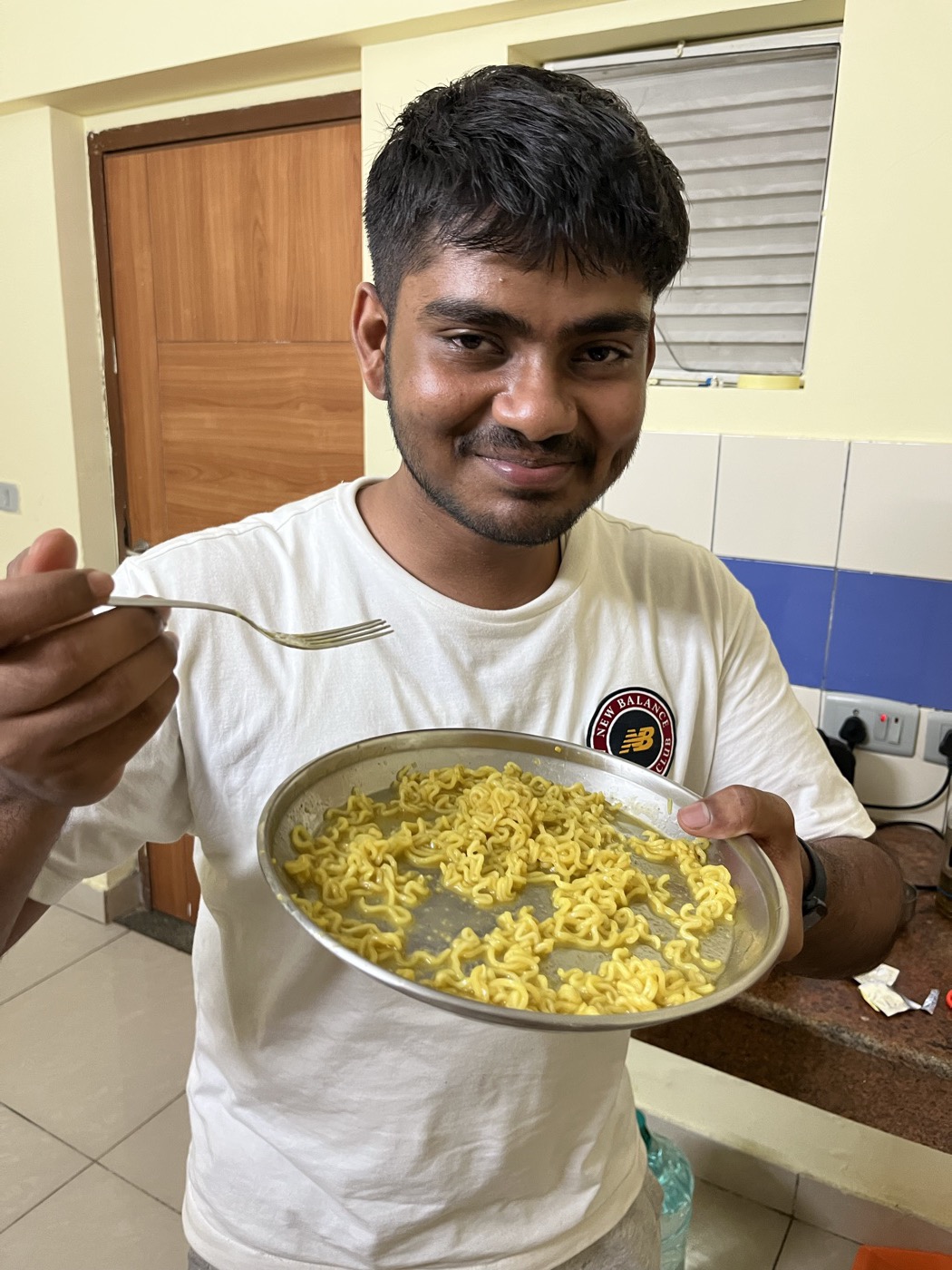
a good friend of mine, enjoying his culinary masterpiece
There's no right way to be in the kitchen. Some cook from memory, some from videos (I personally use Instagram reels hehe), and some need everything laid out in front of them before they can even start This is for that last clique, and for anyone who has ever felt a bit silly for needing it. Trust me, I have.
You're not silly. You're just organized differently. Now go make something good, and enjoy.
Find a recipeHave feedback? DM me on @yoihen 💌
The grid idea comes from the recipe tables popularized by Cooking for Engineers.